 ShareShortcuts

Extend Battery
Utilities • Updated 9 months ago
Download Shortcut Add to Collection Like (703)Version 1.4 • 7796 unique downloads
ShareShortcuts Member:
@mapl
This shortcut uses all the techniques I’m aware of to reduce battery usage as much as possible in a customizable way.
There are a couple iOS settings configurations you may optionally make before using this shortcut.
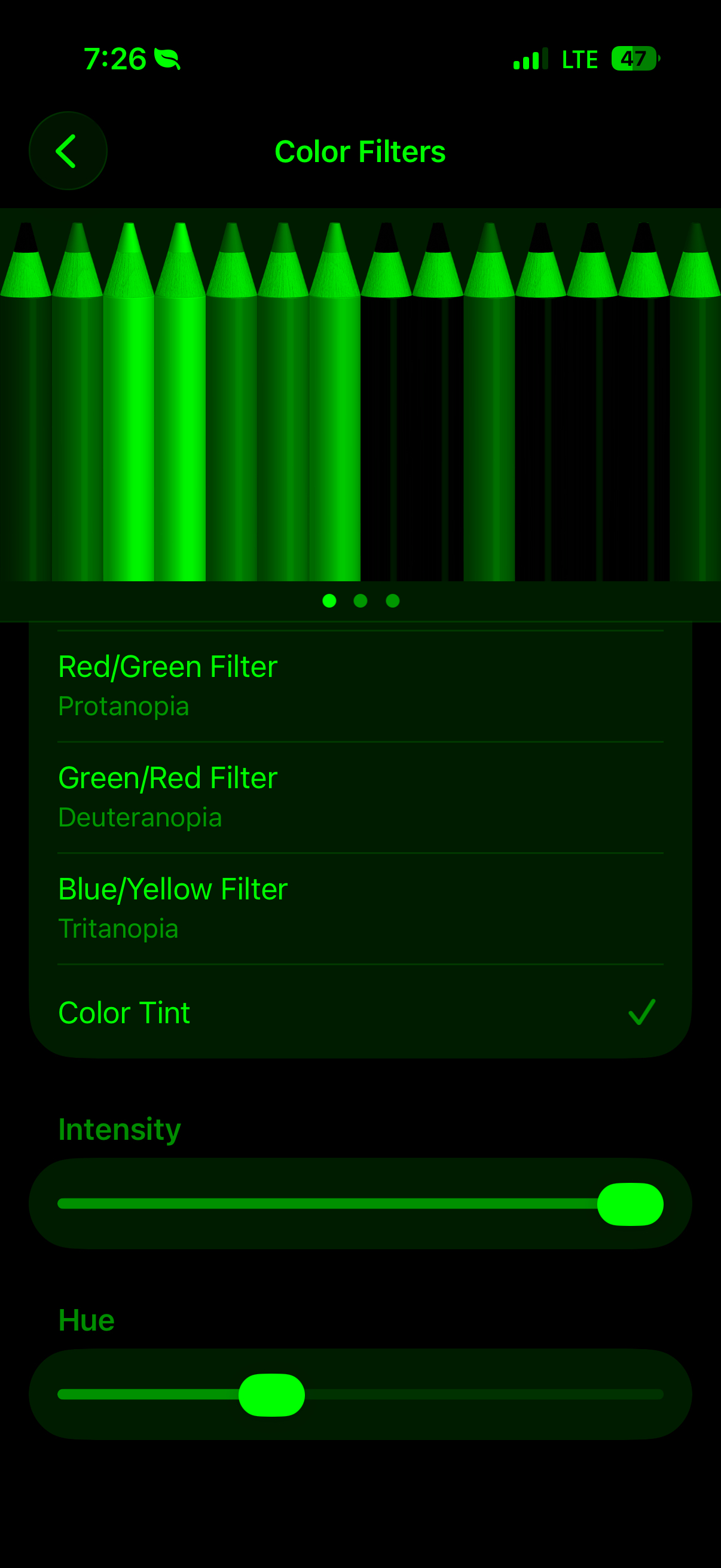
1. For the optional experimental feature named, Enable Green Color Filter, configure your iOS color filter settings so that, when turned on, only green pixels in the image of the crayons can be seen. Your configuration should look like the included screenshot. The reason for this is that green OLED pixels use less energy than red and blue. I’m not sure yet however if this makes a measurable difference. I plan to do some well controlled testing of this soon. (Settings > Accessibility > Display & Text Size > Color Filters)
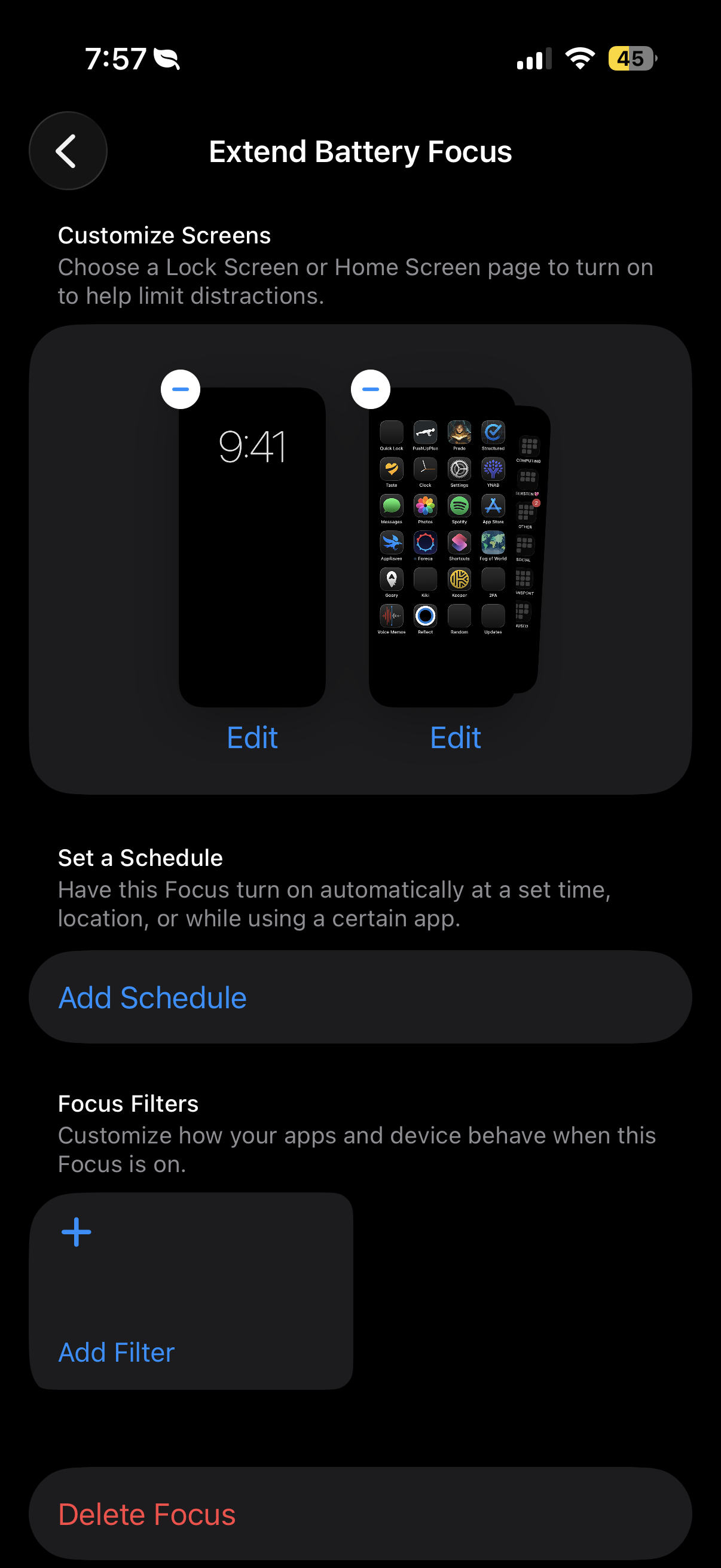
2. Create a new Focus mode that uses solid black wallpapers. This reduces the number of OLED pixels that are turned on.
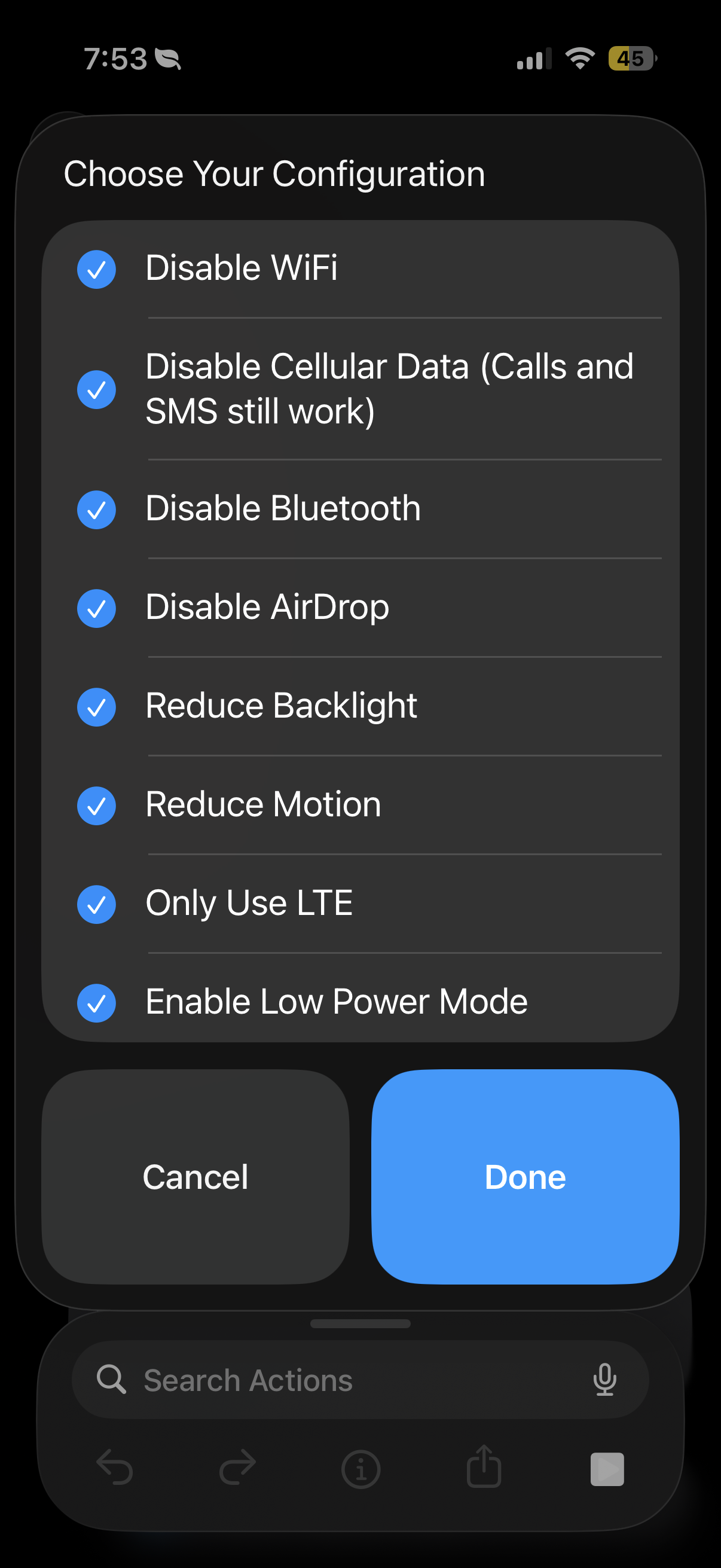
Each time you run this shortcut, you can select which iOS features you want to turn off.
- WiFi
- Cellular Data
- Bluetooth
- Airdrop
- Only use LTE
- Enable Focus Mode
- Reduce backlight
- Dark Mode
- Reduce Transparency
- **Disable Auto Brightness!**
- Disable True Tone
- Disable Night Shift
- Reduce Transparency
- Enable White Point
- Reduce Motion
- Low Power Mode
- Enable Green Color Filter (Experimental)
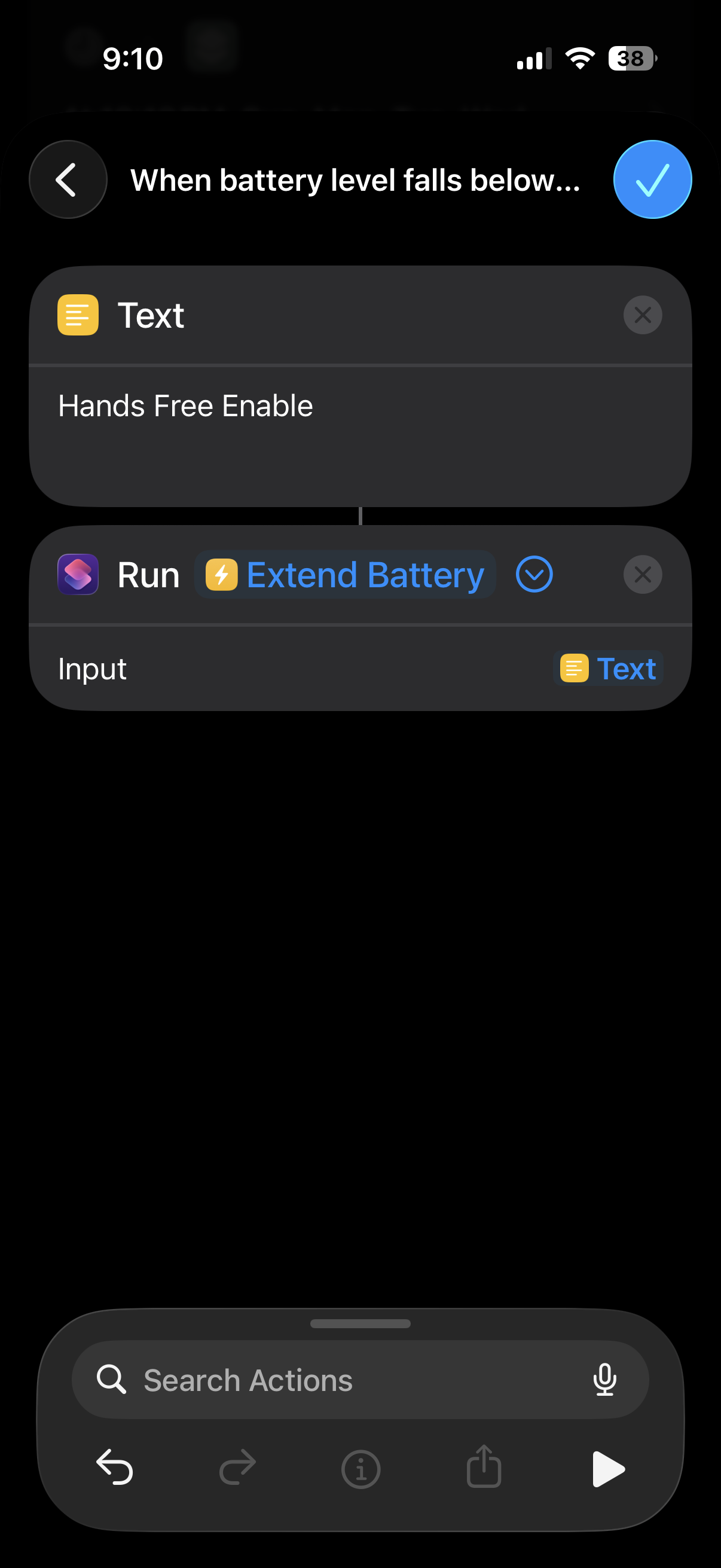
You can also run this shortcut inside Automations. Like the included screenshot, just set the action of the automation to run a Shortcut and choose this one. For the input passed to the shortcut, you can pass either “Hands Free Enable” or “Off” (without quotes). Or, if you want to run this shortcut easily with Siri/one button enable, just say, “Siri, Extend Battery”. Then at the first prompt, you can say/tap “Hands Free Enable”. This will determine if your Wi-Fi is in use and, if not, disable it. The other battery saving techniques will then also be turned on. This option will not disable bluetooth however, in case you are driving and using CarPlay.
If you know of any other techniques to reduce battery usage, put them in the comments! Or if you encounter any bugs or have any suggestions at all, let me know too!
I originally published this shortcut on the iOS Shortcuty app. This shortcut contains a short section at the beginning that uses the Shortcuty API to check for updates. You can safely delete these actions in the shortcut if you don’t want them.
Extensions:
Siri is supported